

Shopify is a powerful platform for building an online store. But building a good-looking store is not enough. If people cannot find your products on Google, your store may not get enough traffic or sales.
That is where Shopify SEO helps.
Shopify SEO means improving your store so search engines can understand your pages, rank them better, and show them to the right buyers. It includes product page optimization, collection page SEO, technical setup, image SEO, internal linking, site speed, blog content, and conversion improvements.
This Shopify SEO checklist for 2026 is written in simple English. You do not need to be a technical expert to understand it. These steps will help you improve your Shopify store rankings, traffic, and sales.
Quick Answer: To improve Shopify SEO in 2026, focus on clean site structure, keyword research, optimized product pages, strong collection pages, fast loading speed, mobile-friendly design, image alt text, internal linking, schema markup, helpful blog content, and regular performance tracking. SEO is not a one-time task. It works best when you improve your store every month.
1. Start With Clear Keyword Research

Before changing your store, understand what your customers search for.
Do not only target broad keywords like “shoes,” “bags,” or “skincare.” These keywords are too competitive. Instead, look for specific buyer keywords.
For example:
- “women’s leather tote bag”
- “organic face moisturizer for dry skin”
- “black gym leggings with pockets”
- “custom basketball jersey USA”
These keywords show stronger buying intent.
Use keywords for:
- Product pages
- Collection pages
- Blog posts
- Image names
- Meta titles
- Meta descriptions
- FAQs
A good Shopify SEO plan starts with the right keywords.
2. Organize Your Store Structure
Your Shopify store should be easy for both customers and Google to understand.
A simple structure looks like this:
Home page → Collection page → Product page
Best Structure looks like this:
For Example:
Home → Men’s Shoes → Black Running Shoes
Do not make your store confusing with too many unnecessary categories. Keep navigation simple.
Good store structure helps:
- Customers find products faster
- Google crawl your store better
- Collection pages rank for category keywords
- Product pages get more internal link support
If your store is messy, SEO becomes harder.
3. Optimize Your Homepage
Your homepage is usually one of the strongest pages on your Shopify store.
It should clearly explain:
- What you sell
- Who your products are for
- Why customers should trust you
- Which main collections they should visit
Add your main keyword naturally in the homepage title, H1, and intro copy.
For example, if you sell custom sportswear, your homepage should make that clear. Do not use vague text like “Welcome to our store.” Use useful text like “Custom Sportswear for Teams, Clubs, and Athletes.”
Your homepage should guide visitors toward your best collections and products.
4. Write SEO-Friendly Collection Page Titles

Collection pages are very important for Shopify SEO.
Many store owners only focus on product pages. That is a mistake. Collection pages can rank for strong commercial keywords.
Examples:
- “Women’s Summer Dresses”
- “Custom Football Jerseys”
- “Organic Skincare Products”
- “Kids Learning Toys”
Use clear collection titles. Avoid creative titles that nobody searches for.
For example, “Fresh Drops” may look stylish, but “Men’s Training Wear” is better for SEO.
Your collection title should match what buyers are searching for.
5. Add Helpful Collection Page Content
Most Shopify collection pages only show products. That is not enough.
Add a short content section to each important collection page. You can place it above or below the product grid.
Write 150 to 300 words explaining:
- What the collection includes
- Who it is for
- Main product benefits
- Size, material, use, or style details
- Internal links to related collections
Example:
“Our custom basketball jerseys are made for teams, clubs, and training groups. Choose from different colors, sizes, and fabric options. You can also request custom names, numbers, and logos.”
This helps Google understand the page better and gives customers more confidence.
6. Use One Clear H1 on Every Page
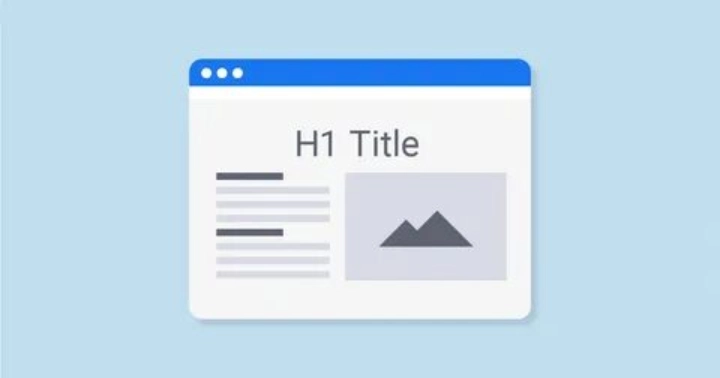
Each important page should have one main H1 heading.
The H1 should clearly describe the page.
Good H1 examples:
- Custom Basketball Jerseys
- Women’s Leather Handbags
- Organic Baby Skincare
- Shopify SEO Services for Online Stores
Bad H1 examples:
- New Arrivals
- Best Products
- Welcome
- Premium Quality
Keep your H1 simple and keyword-focused.
7. Optimize Product Page Titles
Your product title should include the main product keyword.
A weak product title is:
“Classic Black”
A better title is:
“Classic Black Leather Tote Bag for Women”
The better title tells Google and customers exactly what the product is.
Product titles should include:
- Product type
- Important feature
- Color or material if useful
- Main buyer keyword
Do not stuff keywords. Keep the title natural and readable.
8. Write Unique Product Descriptions
Never copy product descriptions from suppliers, manufacturers, or competitors.
Copied descriptions can hurt your SEO because many websites may use the same text.
Write unique descriptions for every important product.
A good product description should explain:
- What the product is
- Who it is for
- Main benefits
- Material or size
- How to use it
- Why it is different
- Care instructions if needed
Do not only list features. Explain benefits.
Feature: “Made with breathable fabric.”
Benefit: “Keeps you comfortable during training and long matches.”
This makes your content more useful and more likely to convert.
9. Add FAQs to Product Pages
FAQs help customers make buying decisions.
They can also help your page target long-tail search queries.
Good product FAQ examples:
- What size should I choose?
- Is this product machine washable?
- How long does shipping take?
- Can I customize this product?
- What material is used?
- Is this suitable for daily use?
Keep answers short and clear.
FAQs are useful because they answer real customer concerns before checkout.
10. Optimize Meta Titles
A meta title is the title that can appear in Google search results.
Each important page should have a unique meta title.
Good format:
Main Keyword + Benefit or Brand Name
Example:
“Custom Basketball Jerseys for Teams | Nexora International”
For product pages:
“Black Leather Tote Bag for Women | Premium Everyday Bag”
Keep meta titles clear. Avoid writing the same title for every page.
A strong meta title can improve clicks from search results.
11. Write Better Meta Descriptions

Meta descriptions do not directly guarantee rankings, but they can improve click-through rate.
A good meta description should explain the page and encourage users to click.
Example:
“Shop custom basketball jerseys for teams and clubs. Choose colors, sizes, names, numbers, and logo customization. Get a quote today.”
Keep it simple. Include the main keyword naturally. Add a benefit or reason to visit the page.
Avoid boring descriptions like:
“Buy our products online. Best quality and good price.”
Be specific.
12. Use Clean URLs
Shopify URLs should be short and clear.
Good URL:
/collections/custom-basketball-jerseys
Bad URL:
/collections/new-best-products-2026-sale-item-collection
Good product URL:
/products/black-leather-tote-bag
Keep URLs readable. Use words that describe the page.
Do not change old URLs without setting proper redirects. If a page already has traffic or backlinks, changing the URL carelessly can hurt rankings.
13. Add Image Alt Text
Images are very important for ecommerce.
Google cannot understand images the same way humans do. Image alt text helps explain what the image shows.
Good alt text:
“Black leather tote bag for women with gold zipper”
Bad alt text:
“image123” or “best product”
Use natural descriptions. Do not stuff keywords into every image.
Alt text also improves accessibility for users who use screen readers.
14. Compress Images for Faster Loading
Large images can slow down your Shopify store.
Slow pages can frustrate visitors and reduce sales.
Before uploading product images, compress them. Use modern formats where possible. Keep image quality clear, but avoid very heavy files.
Also use clear image file names.
Good file name:
black-leather-tote-bag.webp
Bad file name:
IMG_88472.jpg
Fast images help both user experience and SEO.
15. Improve Mobile Experience

Most ecommerce visitors use mobile phones.
Your Shopify store must look good and work smoothly on mobile.
Check:
- Is the menu easy to use?
- Are product images clear?
- Is the add-to-cart button visible?
- Is text easy to read?
- Does checkout work smoothly?
- Are popups blocking the screen?
A store can look great on desktop but fail on mobile. Always test both.
Mobile experience affects traffic, conversions, and customer trust.
16. Improve Page Speed
Page speed matters because customers do not like waiting.
A slow Shopify store can lose sales before people even see your products.
To improve speed:
- Remove unused apps
- Compress images
- Use a lightweight theme
- Avoid too many popups
- Reduce heavy scripts
- Test your store regularly
- Keep only necessary tracking codes
Many Shopify stores become slow because of too many apps. Every app can add extra code. Keep your store clean.
17. Use Internal Links
Internal links connect one page of your store to another.
They help customers discover more products. They also help Google understand which pages are important.
Examples:
From a blog post about “how to choose basketball jerseys,” link to your custom basketball jersey collection.
From a product page, link to related products or matching collections.
Useful internal links include:
- Blog to collection
- Collection to related collection
- Product to collection
- FAQ to service page
- Homepage to best-selling collections
Do not overdo it. Add links where they help the reader.
18. Add Product Schema
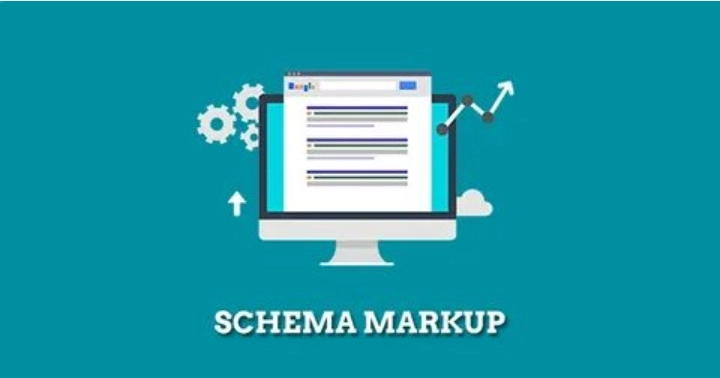
Product schema is structured data that helps search engines understand product details.
It can include information like:
- Product name
- Price
- Availability
- Reviews
- Ratings
- Brand
- Shipping details
Many Shopify themes and apps support product schema, but you should still test it.
Product schema can help your products appear with richer details in search results.
This can improve visibility and clicks.
19. Create Helpful Blog Content
Blogging is useful for Shopify SEO when it supports your products and collections.
Do not publish random blog posts. Write content that answers buyer questions.
Good Shopify blog topics:
- How to choose the right size
- Best materials for this product
- Product comparison guides
- Buying guides
- Care instructions
- Gift guides
- Trend guides
- Problem-solving articles
Example:
If you sell sportswear, write:
“Basketball Jersey Size Guide: How to Choose the Right Fit”
Then link to your basketball jersey collection.
A good blog drives informational traffic and directs visitors to product pages.
20. Target Long-Tail Keywords

Long-tail keywords are longer and more specific search phrases.
They usually have lower competition and stronger intent.
Examples:
- “best gym leggings for women with pockets”
- “custom baseball jerseys for youth teams”
- “organic baby lotion for sensitive skin”
- “how to clean white leather sneakers”
These keywords are easier to rank for than broad keywords.
Use long-tail keywords in:
- Blog titles
- Product FAQs
- Collection content
- Buying guides
- Comparison pages
Long-tail SEO is especially useful for new Shopify stores.
21. Fix Duplicate Content Issues
Shopify stores can sometimes create duplicate or similar pages.
This can happen with:
- Product variants
- Tags
- Filters
- Similar product descriptions
- Collection URLs
- Supplier content
Duplicate content can confuse search engines.
To reduce this issue:
- Write unique product descriptions
- Avoid copying supplier text
- Use canonical tags correctly
- Keep filter pages controlled
- Avoid creating too many thin tag pages
If your store has hundreds or thousands of products, a technical SEO audit is very important.
22. Optimize Your Navigation Menu
Your navigation menu should be simple.
Do not add too many links. Show the most important categories first.
Good navigation example:
- Men
- Women
- Kids
- Custom Jerseys
- Accessories
- Sale
- Contact
Bad navigation example:
A long menu with 30 links, confusing customers.
Good navigation helps users and search engines understand your store.
Use clear words. Avoid creative names that people do not understand.
23. Add Reviews and Trust Signals

Reviews help customers feel confident.
They can also support SEO by adding fresh, useful content to product pages.
Trust signals include:
- Product reviews
- Star ratings
- Secure checkout badges
- Return policy
- Shipping information
- Real product photos
- Customer testimonials
- Contact details
A product page without trust signals may get traffic but lose sales.
SEO should not only bring visitors. It should help turn visitors into buyers.
24. Track SEO Performance
You cannot improve what you do not track.
Set up tracking tools for your Shopify store.
Important tools include:
- Google Search Console
- Google Analytics 4
- Shopify analytics
- Keyword tracking tools
- Heatmap tools if needed
Track:
- Organic traffic
- Clicks
- Impressions
- Top pages
- Top queries
- Product page visits
- Add-to-cart rate
- Conversion rate
- Revenue from organic traffic
Do not only look at rankings. For ecommerce, sales matter more than traffic alone.
25. Update Your SEO Every Month
Shopify SEO is not a one-time job.
Your competitors are improving. Google is changing. Customer searches are changing. Your store must improve too.
Every month, review:
- Top-performing pages
- Low-performing product pages
- Old blog posts
- Broken links
- Missing meta titles
- Slow pages
- New keyword opportunities
- Product descriptions
- Collection page content
- Internal links
Small monthly improvements can create strong long-term growth.
SEO works best when it becomes part of your ecommerce growth system.
Common Shopify SEO Mistakes to Avoid
Many Shopify store owners make the same SEO mistakes.
Avoid these:
- Using copied supplier descriptions
- Ignoring collection pages
- Uploading large images
- Not adding alt text
- Using weak product titles
- Forgetting meta titles
- Installing too many apps
- Not writing blog content
- Not using internal links
- Ignoring mobile users
- Not tracking results
- Expecting SEO results overnight
SEO takes time. But the right work can bring long-term traffic and sales.
When Should You Hire a Shopify SEO Expert?
You can do basic SEO yourself if your store is small.
But you may need expert help if:
- Your store has many products
- Your rankings are not improving
- Your traffic dropped
- Your site is slow
- Your products are not getting impressions
- Your collection pages are weak
- You are migrating from another platform
- You need technical SEO help
- You want a full SEO and content strategy
A Shopify SEO expert can help you fix problems faster and build a stronger growth plan.
Final Thoughts
Shopify SEO in 2026 is about more than adding keywords. It is about building a store that is easy to find, easy to understand, and easy to buy from.
Start with the basics. Use clear keywords. Improve your product pages. Add useful collection content. Make your store fast. Use internal links. Add product schema. Write helpful blog posts. Track your results every month.
If you do these steps consistently, your Shopify store can get more impressions, more traffic, and better sales over time.
Need help improving your Shopify store SEO? Nexora International helps ecommerce brands with Shopify SEO, ecommerce website development, product optimization, PPC, marketplace growth, and digital marketing strategy.